Features

Everything a karaoke night needs, from getting ready to the last song — and nothing your guests have to install.

Made for guests who just want to sing

The easier it is to join, the more people sing. That is the whole idea behind the guest side of Jukoke.

Two scans, then sing

Step 1: Join Wi-Fi. Step 2: Join Jukoke. The host shows both codes side by side (Party → QR Code / Link). Guests who are already on the network can skip straight to step 2. Available on every plan. No internet at the venue? See Venue internet.

Nothing to install

Jukoke opens in the browser every phone already has. No app store, no update prompts, no account, and no name or email asked for.

Ask the MC Lite & Pro

A private note from guest to host, for the person who’d rather not search for songs in front of friends. The host adds the songs to that guest’s own line, so the rotation stays fair, and replies with an OK, a heads-up or a “sorry, can’t”. Notes can be in any language; guests can send a few and carry on while they wait, and can take one back before it is answered. The host sees a Waiting list and a Handled list, with search and sorting, so a busy night stays manageable. Free guests see it as an upgrade hint.

Remembered next time

With Follow-Me, a returning guest gets their history, favorites and keys back, at this party or the next.

Practice and play

Control your own song, loop a tricky section and slow it down until it clicks.

Always know where you are

Guests can see where they are in the line, and every guest gets a heads-up on their phone when their turn is coming, then a clear “You are up” screen. On Pro you choose how early the warning comes.

From one singer to a whole venue

Jukoke is one program at every size. A duet at home and a KJ with a full room use the same app; the plans simply lift the limits and add the tools a crowd needs.

Start small, for free

Free covers you and one guest. Add Lite for practice tools and a party of friends.

Grow with the crowd

Pro removes the guest cap and adds crowd control, stage tools, announcements and the full party look. Buy it by the 6-hour session when you need it — no subscription to cancel.

Prepare once, reuse everywhere

Keep a prep for each gig, clone an old one, tag venues, and bring the whole night back in one step.

Several rooms? Several Jukokes

Run one Jukoke in each room. Each has its own queue and guests, and the rooms can share the same song libraries over your network.

Run it from a phone

The host console works on a phone, a tablet or the laptop itself. Walk the room, not back to the computer.

Bring your own songs

Your library folders, online sources you set up, or a pasted link. One queue, however a song arrives.

The night, step by step

Two short paths: what the host does, and what a guest does. Every step is something Jukoke handles for you.

For the host or KJ

The host’s night, start to finish Install, get ready with the checklist, prepare the night, run the party, take a break when needed, then review the stats. THE HOST OR KJ Install Windows 11 or Ubuntu 24.04 1 Get ready Checklist for screen, songs, Wi-Fi 2 Prepare Plan the night: songs, guests, the look 3 Run Fair queue, reorder, hold, approve 4 Break Pause the night, filler music plays 5 Review Stats and a report of the session 6
The host’s night, start to finish
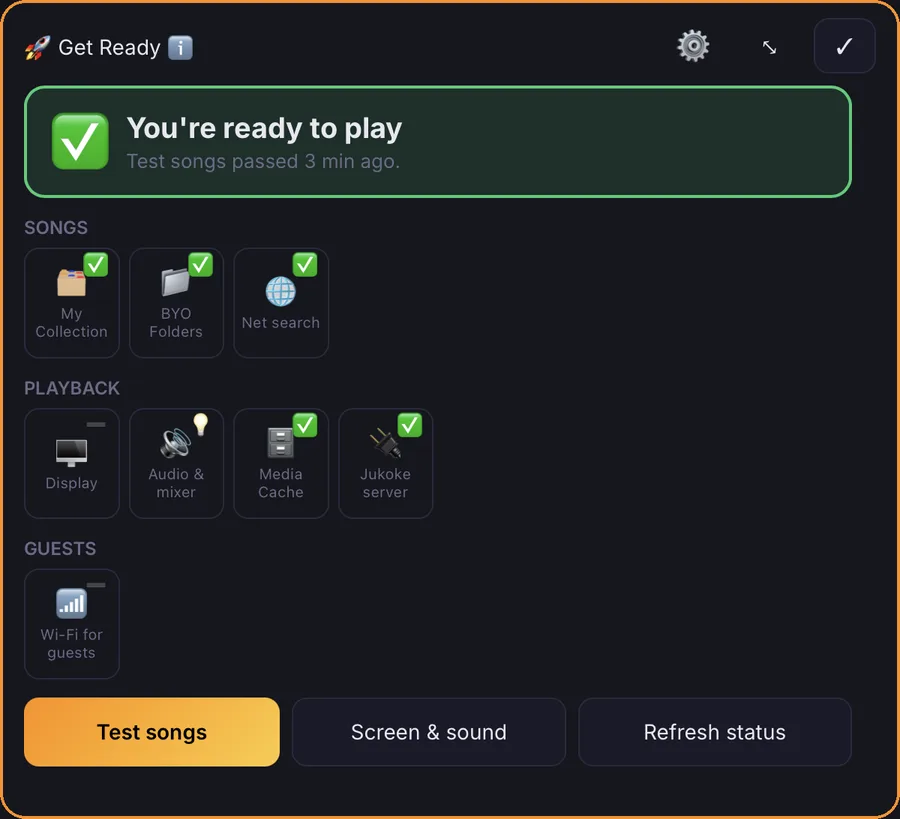
The Get Ready checklist on the host dashboard, with a status card, checks for songs, playback and guest Wi-Fi, and the Test songs and Screen and sound buttons
Get Ready checks your screen, songs, Wi-Fi and server, and shows what is left.
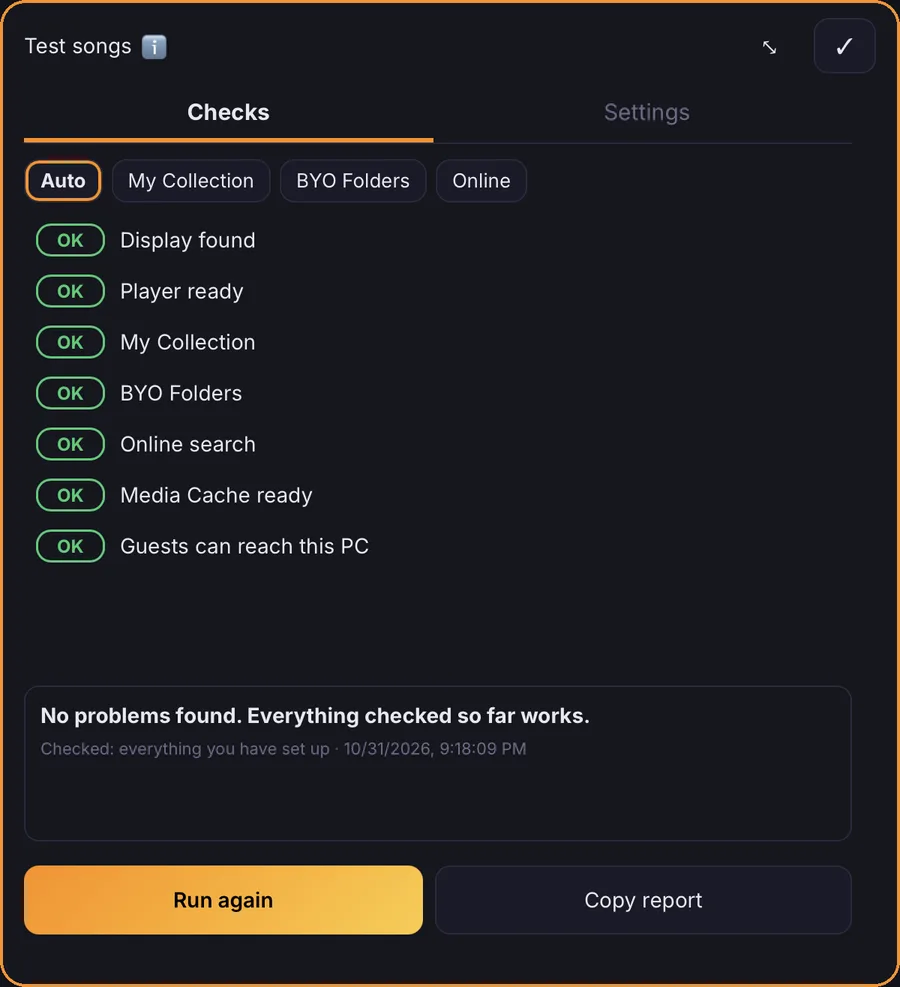
The Test songs panel with every check showing OK: display, player, locations, collection, BYO folders, online search, media cache and guest access
Test songs tries a sample of your songs and says which step, if any, would stop them playing.
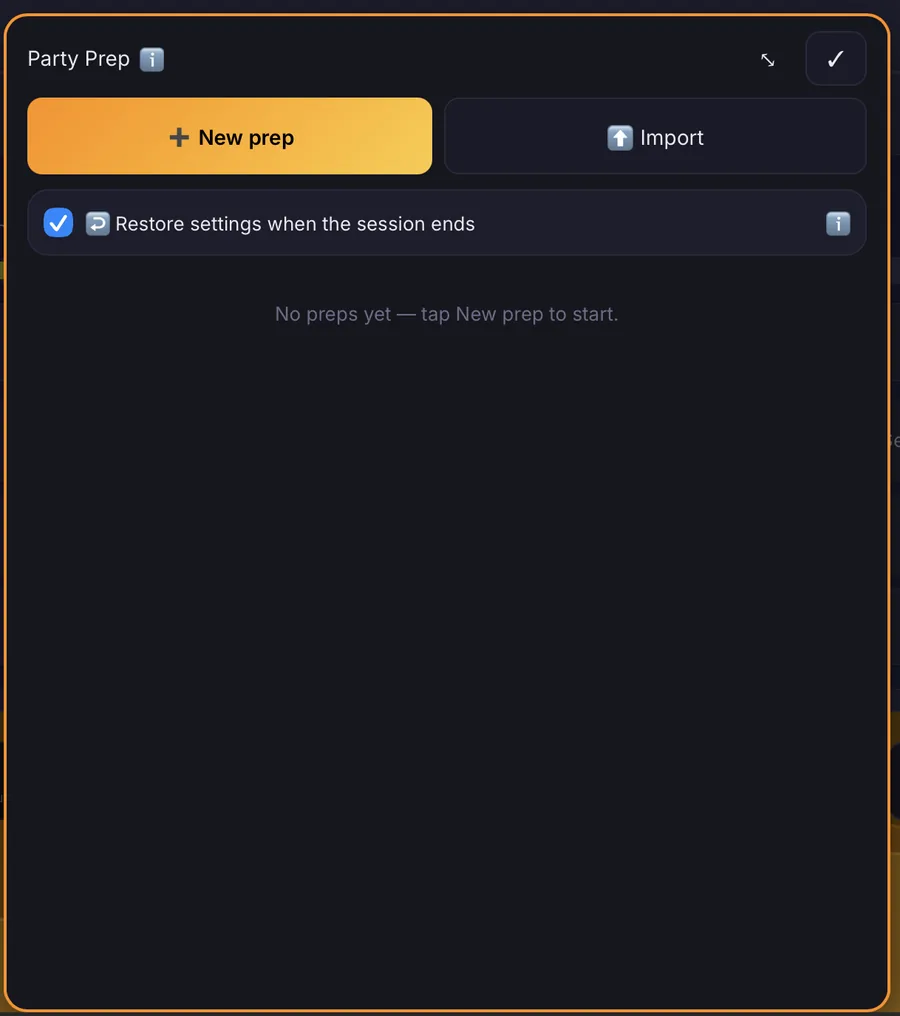
The Party Prep list with one prep, Smith Wedding, and buttons to open, clone or export it
Prepare the night ahead of time, then bring it to life at the party.
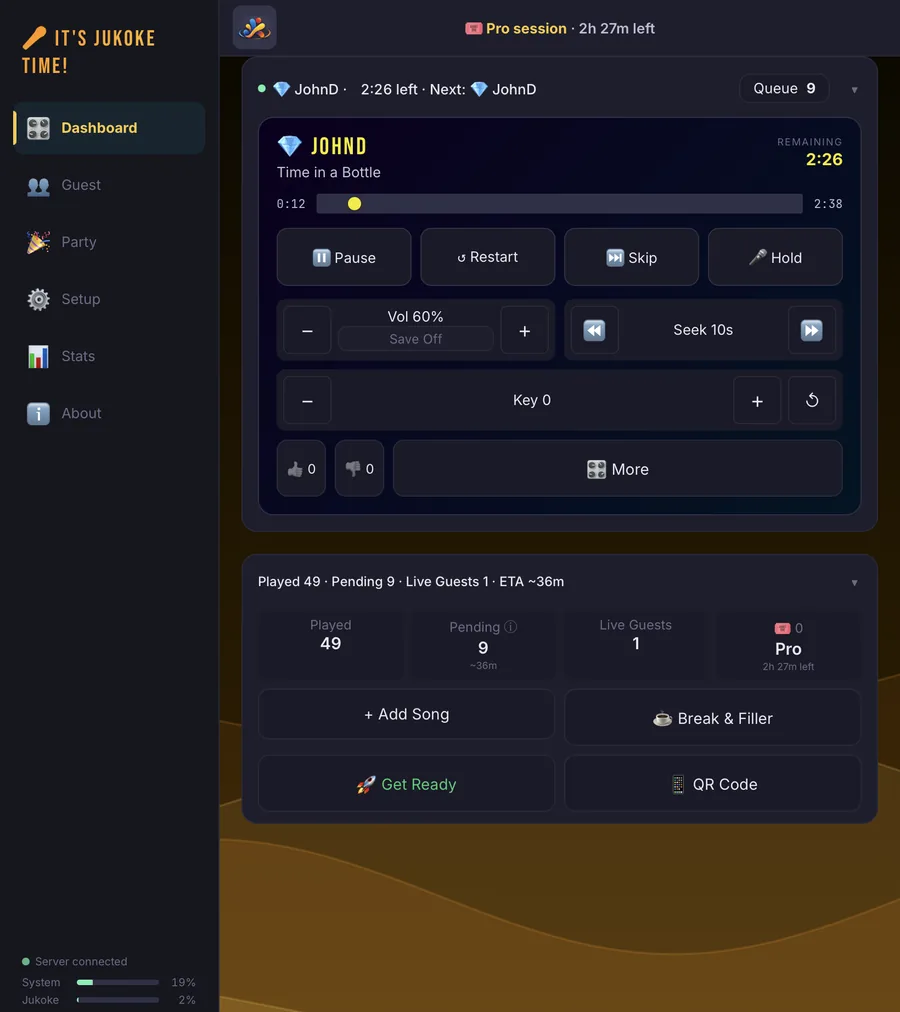
The host dashboard while a guest sings, with pause, skip, volume and key controls, and buttons below for Add Song, Break & Filler, Get Ready and QR Code
Run the party from the dashboard while a guest sings.
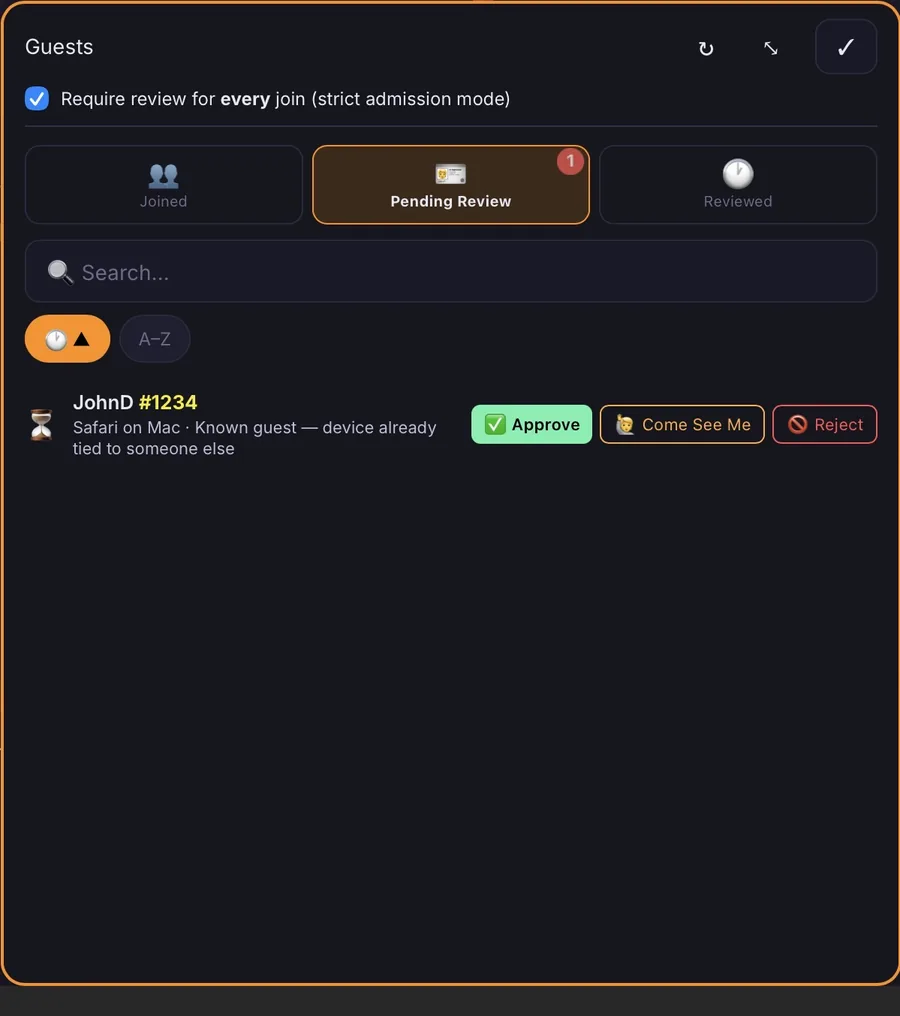
The Guests screen with a pending guest and Approve, Come See Me and Reject buttons
Step in when you need to: approve, check in with, or turn away a guest.
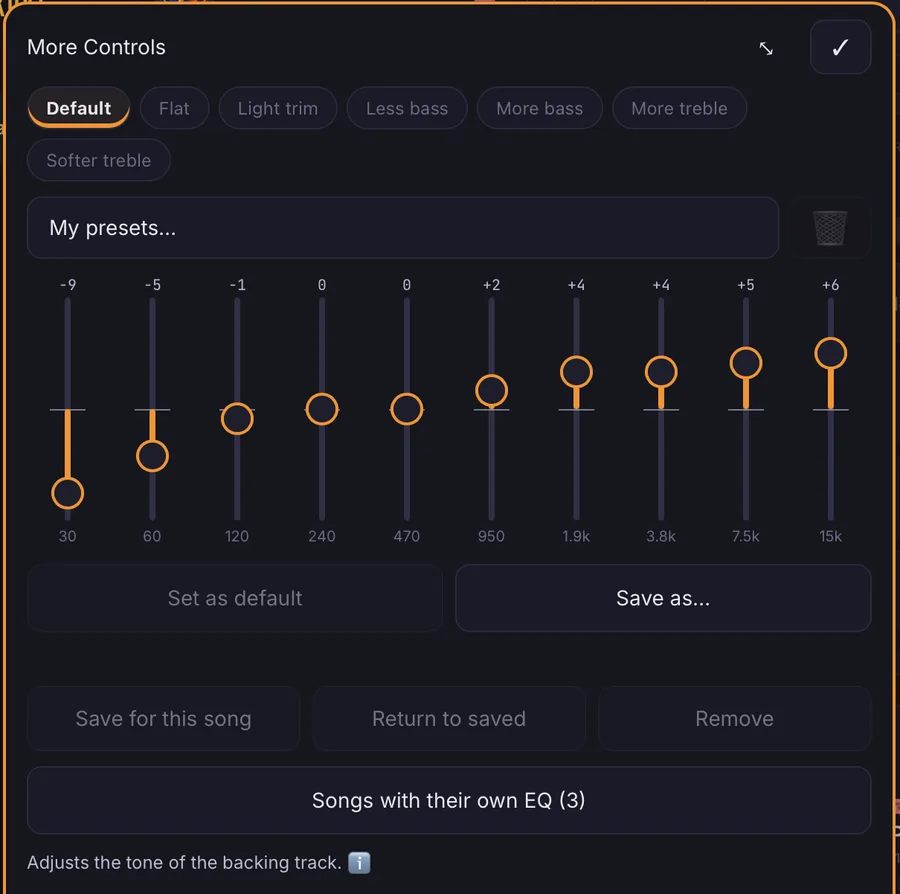
The equalizer on the host dashboard: a preset box, ten sliders from 30 Hz to 15 kHz, Revert and Save buttons, and a Manage button for songs with their own curve
Shape the backing track with an equalizer, and give any song its own curve.

For your guests

A guest’s night Scan, join with a stage name and PIN, add songs or ask the MC, wait for a fair turn, sing, and come back another night. A GUEST Scan Wi-Fi code, then Jukoke code 1 Join Stage name and PIN. No app, no account 2 Add songs Library, online, a pasted link, or ask the MC 3 Your turn A fair rotation, nobody hogs the night 4 Sing Key, tempo, volume, and practice loops 5 Come back Jukoke remembers your songs and settings 6
A guest’s night
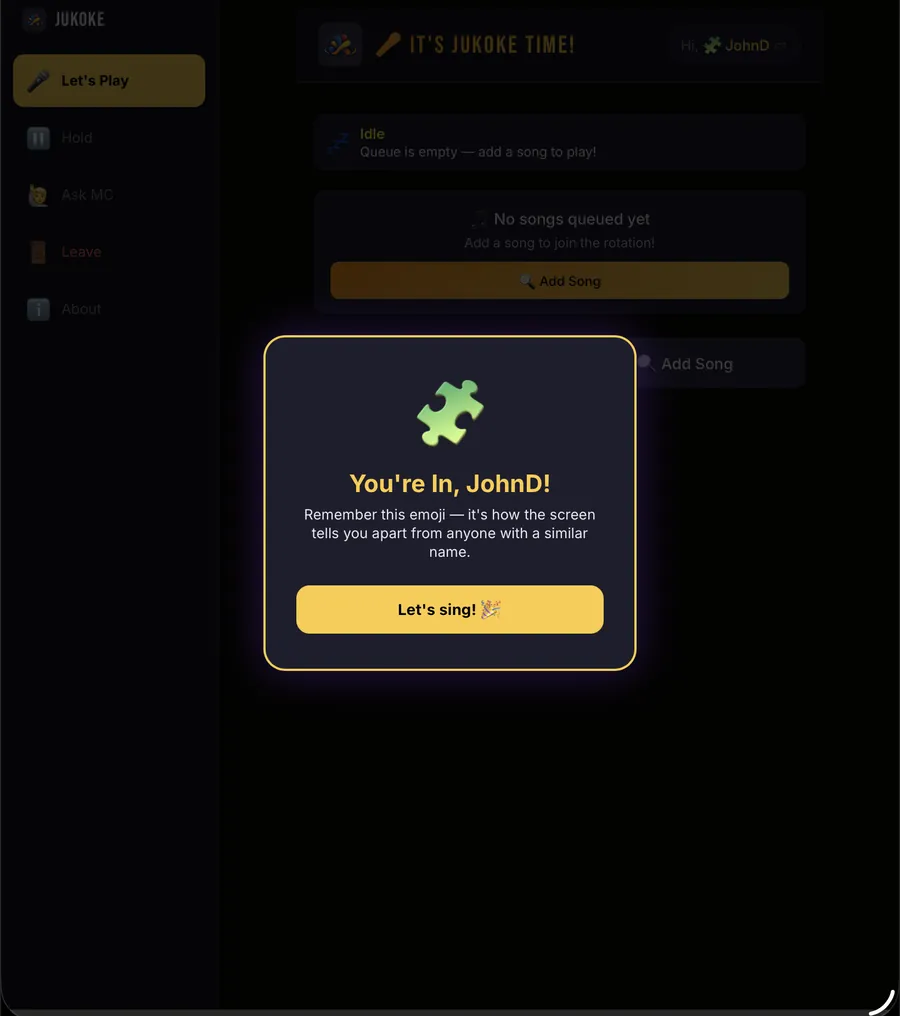
The welcome screen a guest sees after joining, with their emoji and stage name
Pick a stage name and PIN, and you are in.
A guest searching online with a short video preview playing in the corner
Search, and preview a short clip before you add a song.
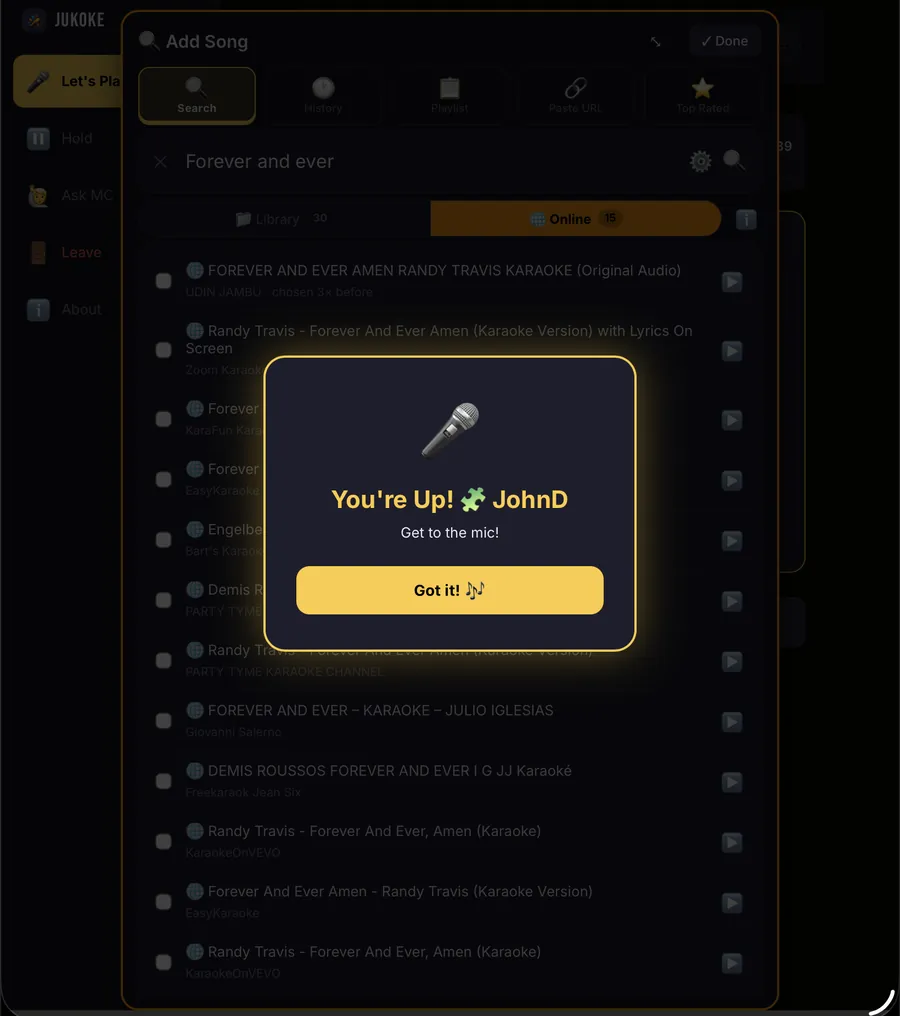
The You are Up screen on a guest's device
Nobody has to ask whose turn it is.
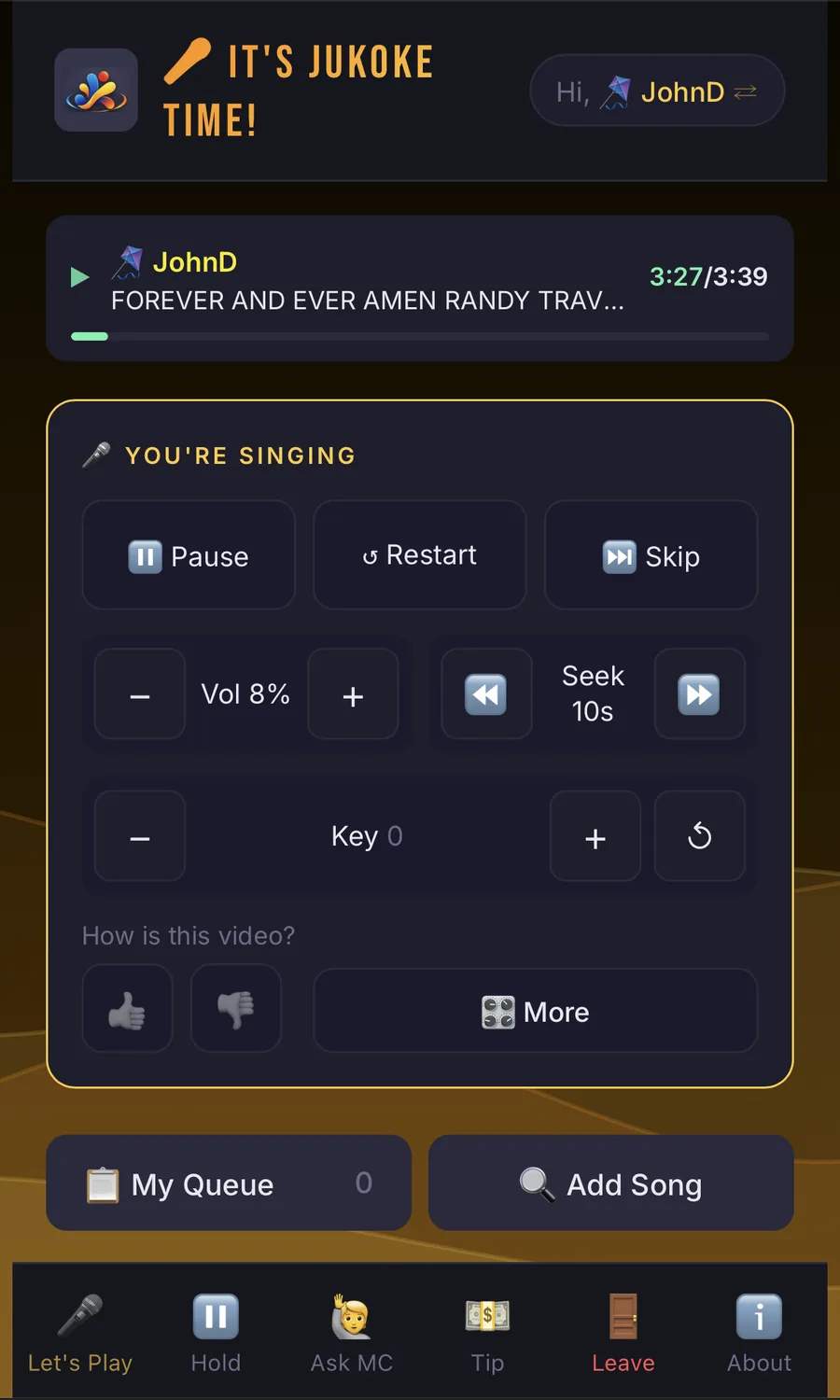
The singer controls on a guest's phone: pause, restart, skip, volume, seek and key, with a Tip button in the bottom bar
Then sing, with your own controls.

The NICE modules

Ten pieces, one evening, in the order a party happens, starting with your first time. Each does one job and passes the baton to the next, so the host does less and the guests wait less.

How the NICE modules fit together in a party For a first time out, NICE-Start walks the host through getting set up. Before the party, NICE-Prep plans the night, using NICE-SIP for your song catalog and NICE-Vibe for the look. During the party, guests move through NICE-Join, NICE-Add, NICE-Q, NICE-Play and NICE-Try, with the queue looping to the next singer. NICE-GAME sits underneath so the host can step in at Join, Q and Play. BEFORE THE PARTY NICE-Prep Plan the whole night ahead NICE-SIP Your song catalog NICE-Vibe Look and feel DURING THE PARTY next singer NICE-Join Scan, stage name NICE-Add Pick songs NICE-Q Fair turns NICE-Play Sing on stage NICE-Try Practice NICE-GAME The host steps in: approve, reorder, hold, block Prepared ahead, in place when the doors open Guests flow left to right; the host can step in at any point NICE-Start Your first time: a guided checklist that checks your screen, songs and Wi-Fi, and shows what is left
Everything the host prepares feeds the live party, and every guest action hands off to the next module.

NICE-Start Up and running, step by step

A guided checklist for your first time, and any time something stops working. Tell Jukoke what you have to sing with: song files, your own media, or nothing yet. It checks your screen, songs, online search and Wi-Fi as they are right now, keeps itself up to date while you work, shows what is left, and takes you straight to each fix. Skip anything you do not plan to use. It can try a sample of songs from your catalog, the Dashboard button turns green, yellow or red, and a Screen & sound clip lets you check the TV and each speaker. Sound and TV setup come with plain guidance. Online search needs a separate helper program that you choose to set up; it is provided as is, without warranty or support. On every plan.

NICE-Prep Ready before the party

Build a plan for the night ahead of time, with no session running: party details, the look, filler music, guest permissions, your own songs, and the guests you expect with songs picked for each. On the night it all goes into place together.

NICE-SIP Your song catalog

Scan your folders, or import a list exported from your old karaoke software. Review it, fix any title or artist, and approve. Guests then search the songs you actually have, by title or artist, and find something that will play. Scan and import are on every plan; editing a catalog entry later is part of Lite and Pro.

NICE-Vibe Your party’s look

Give the party a title and colors on guests’ phones and, on Pro, on the TV too. Pro also adds your own background pictures. Without one, the background is a wave pattern in your party colors. It feels like your party, not a generic app.

NICE-Join Getting in, and coming back

Guests scan a QR code, pick a stage name and a 4-digit PIN, and they’re in. The last four digits of a phone number make an easy PIN to remember, but any four digits work, and nothing checks them. No account, no app, and no name or email asked for. With Follow-Me, a returning guest is recognized: their history, favorites and keys come back, at this party or the next.

NICE-Add Choosing songs

Add songs from your own song folders, from a catalog of what you have, from guests’ own files in the shared folders you open to them, from online search, or by pasting a link. Lite and Pro add saved playlists, including importing a whole YouTube playlist. Online search, Paste URL and playlist import need an online song source that you choose, set up and opt in to; Jukoke doesn’t include one. One shared queue, however a song arrives.

NICE-Q Fair turns

A rotation that gives every singer a turn. The host can reorder and manage what’s queued, and the player always knows who is next.

NICE-Play On stage

Singers control their own song from their phones, and guests can see when they are up. The host can limit which controls guests get.

NICE-Try Practice a tricky bit

Loop a section, slow the tempo, and try it again. Handy for the song everyone loves and nobody has quite learned.

NICE-GAME Guest admin essentials

Approve, restrict or block guests when a crowd needs managing, and look over a long or repeated song before it joins the queue. Rules follow the same guest identity all night. Song review, Strict Admission and the rest are Pro.

NICE-Prep: the night before

Tell Jukoke who is coming and what they will sing, and it does the rest. Preparing is free on every plan; applying a prep to a live party is part of Pro.

  • Keep a prep for each gig, clone an old one, and reuse it next time.
  • Choose how guests get their songs: offered under Picked for you on their phone, or added to their queue for them.
  • Online songs are downloaded in the background while you prepare, so they start fast on the night.
  • When the night ends, your own settings can go back to how they were, automatically.

And around the edges

  • Break and filler music between songs, with smooth transitions (Lite and Pro).
  • Guest permission profiles, so new guests start with the access you choose.
  • Session history and stats, with a session report on Pro.
  • Venue tags, so hosts who play several places can keep them apart.
  • Works on any phone with a browser. Guests need nothing installed.
  • Stage Wait: pause between songs so the next singer can get to the mic (Pro).
  • Ask the MC messages arrive with a badge on your Dashboard and Live Guests, just like join requests. Search them, sort them, and look back at what you have handled.
  • Approve some songs first (Pro): hold a song that is shorter or longer than you like, or one a guest has already sung tonight, until you say yes. The guest is told it is waiting, other songs keep playing, and you can approve it or send back a reason. Song lengths show in your queue and in search.
  • Tip jar (Pro): show your own tip link, QR picture or text to copy, such as a Zelle email, on every guest’s phone. Tips go straight to you; Jukoke takes no fee and handles no payment.
  • Announce (Pro): send one short message to every guest’s phone, and optionally to the TV as a banner across the top that never covers the lyrics. Mark it Info, Good news or Urgent, and choose whether guests must tap OK.

Plans

Jukoke is free to run on its own. When you want a bigger party, start a session — a 6-hour block of a paid plan — using Play Tokens from your Wallet. Buy tokens in packs; larger packs cost less per token. See Pricing for pack prices and session costs.

FreeLitePro
Guests at once18Unlimited
Songs waiting in the queue1UnlimitedUnlimited
Guided setup (NICE-Start)✓✓✓
Prepare a party (NICE-Prep)✓✓✓
Apply a prep to a live party––✓
Audio channel, audio track and gain✓✓✓
Loop, tempo, vocal removal, playlists, catalog editing–✓✓
Equalizer (presets, sliders, a curve for each song)–✓✓
Your own saved EQ presets––Up to 5
Catalog scan and import (NICE-SIP)✓✓✓
Online search and Paste URL (you set up the source and opt in)✓✓✓
Guests browse your shared folders✓✓✓
Guest video uploads1 per guest, per partyUnlimitedUnlimited
Song library folders13Unlimited
Break & filler music–✓✓ plus rotating playlists
Party look (title, colors)–PhonesPhones and TV
Your own background pictures––✓
Stats–✓✓ plus session report
Join by Wi-Fi + Jukoke QR codes✓✓✓
Ask the MC (guest messages)–✓✓
Announce to every guest––✓
Turn heads-up (Next Up, You are Up) on phones and the TV✓✓✓ plus your own timing
Stage Wait––✓
Approve some songs first (long, short, repeats)––✓
Strict Admission (approve each guest)––✓
Tip jar on guests’ phones––✓
Crowd control (NICE-GAME)––✓

Free needs no session. Lite and Pro each last 6 hours, and you can upgrade a running Lite session to Pro for the difference. Settings you make on a higher plan are kept when you step down and come back when you return. Every installation includes a 30-day free trial of the paid plans, and a 30-Day Pro Pass gives unlimited Pro sessions for 30 days. See Pricing.

Download Jukoke

About songs

Jukoke is a player and party manager. It doesn’t come with a song library: you bring your own karaoke files, and online sources are optional and set up by you. You are responsible for having the right to play the songs you use, and venues generally need the appropriate public-performance licenses.