
Zero-install guest join
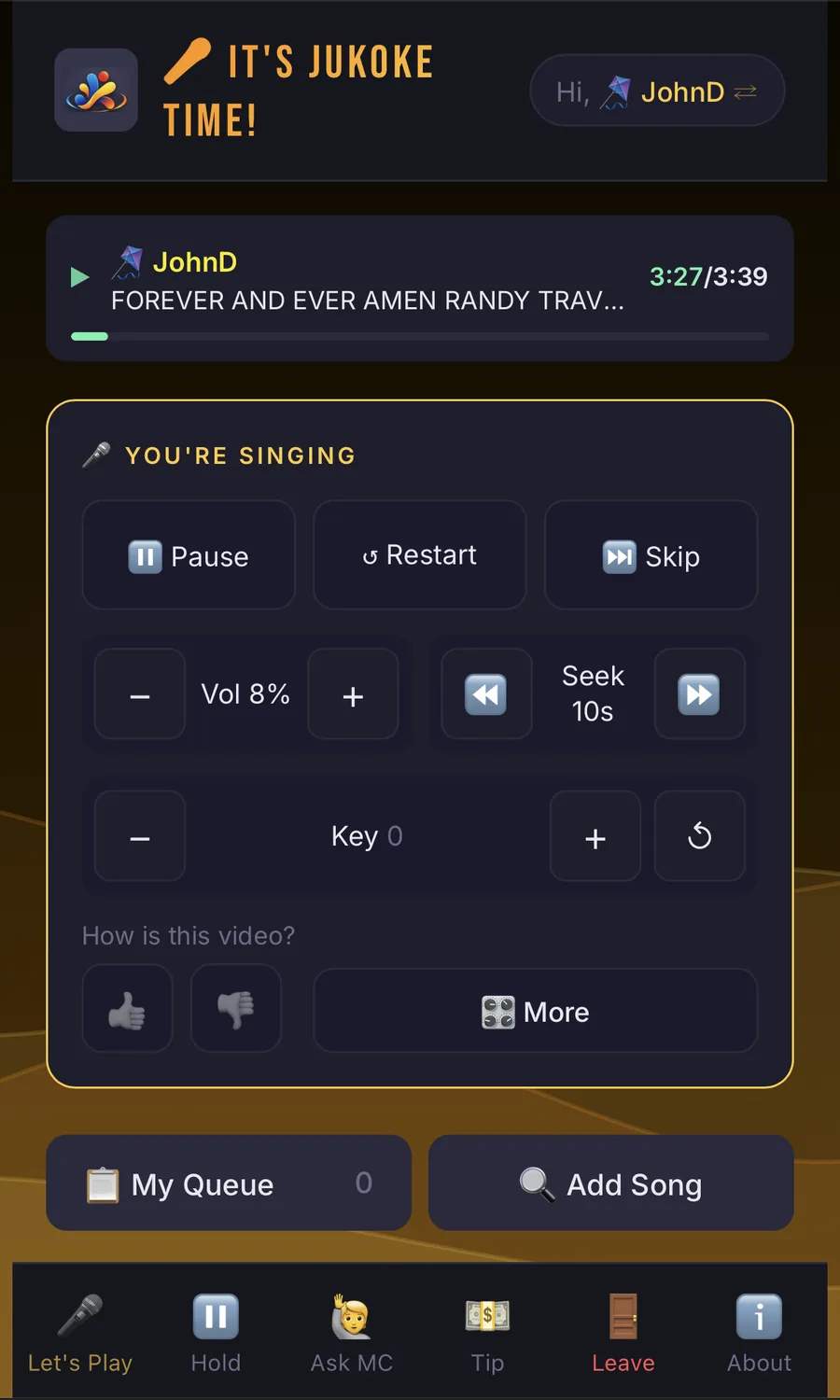
Guests scan a code, pick a stage name and a PIN, and they’re in. No app, no account.
Karaoke, the NICE way™
Jukoke turns any computer and TV into a karaoke night, and runs the whole thing, from preparing the night to the last-song stats. Guests join from the phone already in their pocket — nothing to install, no account to make — and the host runs the party from a phone too. Use it for a solo practice session or a room full of strangers; it scales to fit.
Download Jukoke See how it works
FREE to download and run for yourself. Start a paid session only when you want a bigger party. For Windows 11 and Ubuntu 24.04.
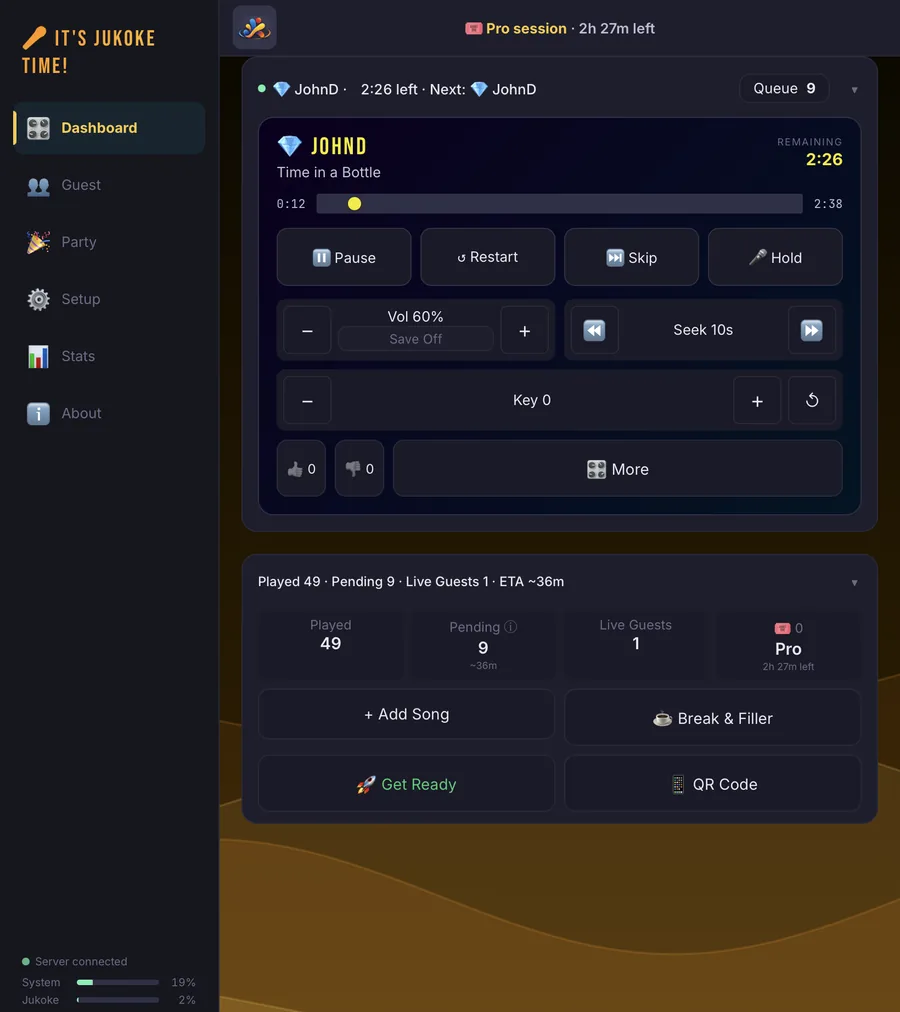
Guests scan a code, pick a stage name and a PIN, and they’re in. No app, no account.
Run the queue, step in, approve guests and watch the room from a phone or tablet.
Everyone gets a turn, and shy guests can message the host privately to get a song queued.
Open it on the computer plugged into your TV and sound system. The join codes appear on the screen, and on your first time a guided checklist helps you get set up. Want the night perfect? Prepare it the day before.
Everyone joins on their own phone: scan the Wi-Fi code, scan the Jukoke code, pick a stage name and PIN, and search for songs. Nothing to install, no account to make.
The queue rotates fairly, so one enthusiastic singer can’t hog the night. You can reorder, skip or step in whenever you need to.
Most karaoke apps only play songs. Jukoke looks after the whole evening: getting set up, preparing the night, running the queue, and looking back afterward. The host and the guests each get their own simple path, and the two meet at the queue.
You don’t need one tool for the living room and another for the venue. The same app and the same guest experience scale up through Jukoke’s plans — you pay for more room only on the nights you need it.
You as host plus one guest. Everything you need to try Jukoke at no cost, with no session to start.
Up to 8 guests at once, plus loop, tempo and playlists. Guests add their own songs, and Ask the MC helps the shy ones.
Unlimited guests, crowd control, Stage Wait, a tip jar on guests’ phones and the full party look on the TV. Built for a KJ running a full room.
Simply run one Jukoke in each room. Each room has its own queue and guests, and your rooms can share the same song libraries over your network.
Plenty of hosts run Jukoke on an everyday laptop plugged into a TV. Paid plans are bought by the 6-hour session, so a big night doesn’t mean a subscription. Compare plans
Every extra step costs you a guest. Most karaoke apps ask everyone to download something and sign up before they can sing a note. Jukoke asks for a camera, a stage name and a four-digit PIN.
Works with the browser every phone already has — iPhone, Android, an old tablet someone found in a drawer.
Most karaoke setups make someone do the work: the host juggling requests on paper, or guests queuing at a laptop. Jukoke gives each side exactly what they need and nothing more.
Not everyone wants to tap through a song search in front of friends. With Ask the MC, a guest types a short note — “Could you find ‘Dancing Queen’ for me?” — and goes back to enjoying the party. The host adds the songs to that guest’s own place in the line and replies with a quick green, blue or red note. It’s quiet, discreet and fair, and it works in any language your phone can type. Lite & Pro
Guests only need to reach the Jukoke computer. For online songs and search, bring a router of your own, with a SIM card or your phone’s mobile data, so the night does not depend on the venue’s WiFi. See the three simple setups, with diagrams.
Jukoke’s features follow a whole evening, from getting ready to the last song. We call them the NICE modules, and each one hands off to the next, so nothing the host sets up is wasted and nothing a guest does needs repeating.
Download it, plug in your TV, and scan the QR code with your phone. Every installation includes a 30-day free trial of the paid plans.